
⚡
Manual Setup Guide
If you prefer, you can build the shortcut step-by-step yourself.
1
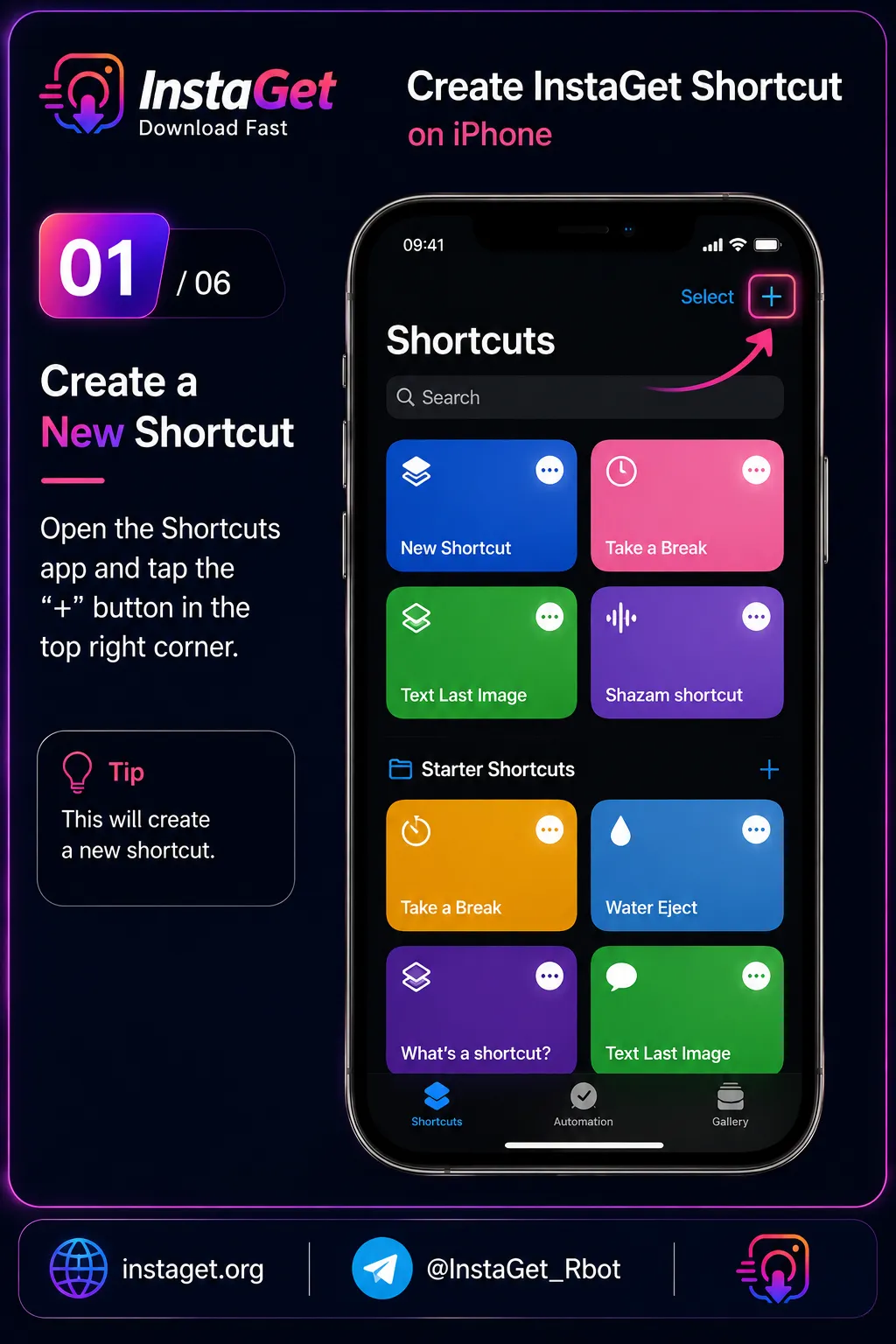
Open the Shortcuts app and tap the + icon at the top right to create a new shortcut.
2
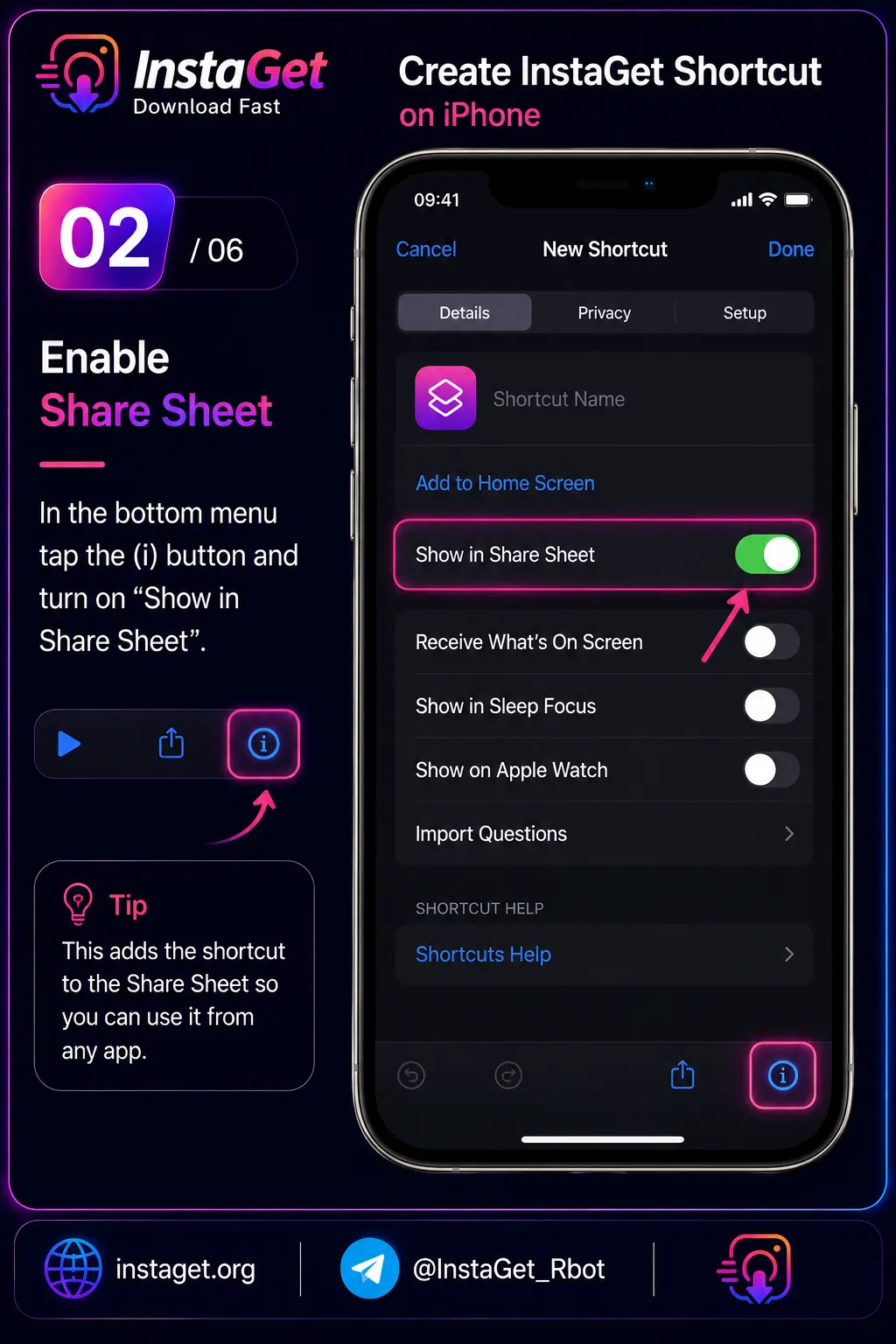
Tap the (i) icon at the bottom and turn on 'Show in Share Sheet'.
3
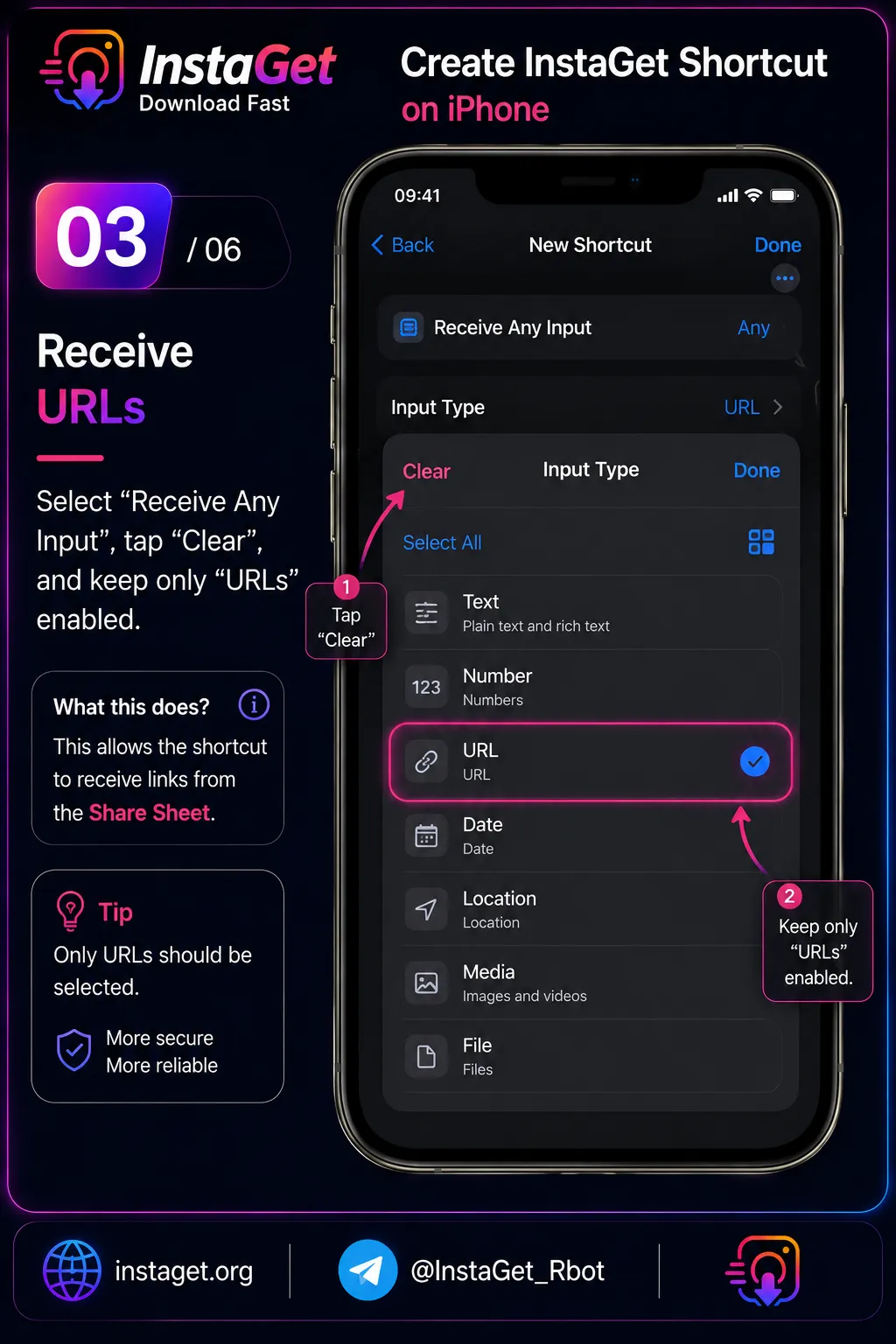
Tap 'Receive Any input' at the top, hit Clear, and ensure only 'URLs' is checked.
4
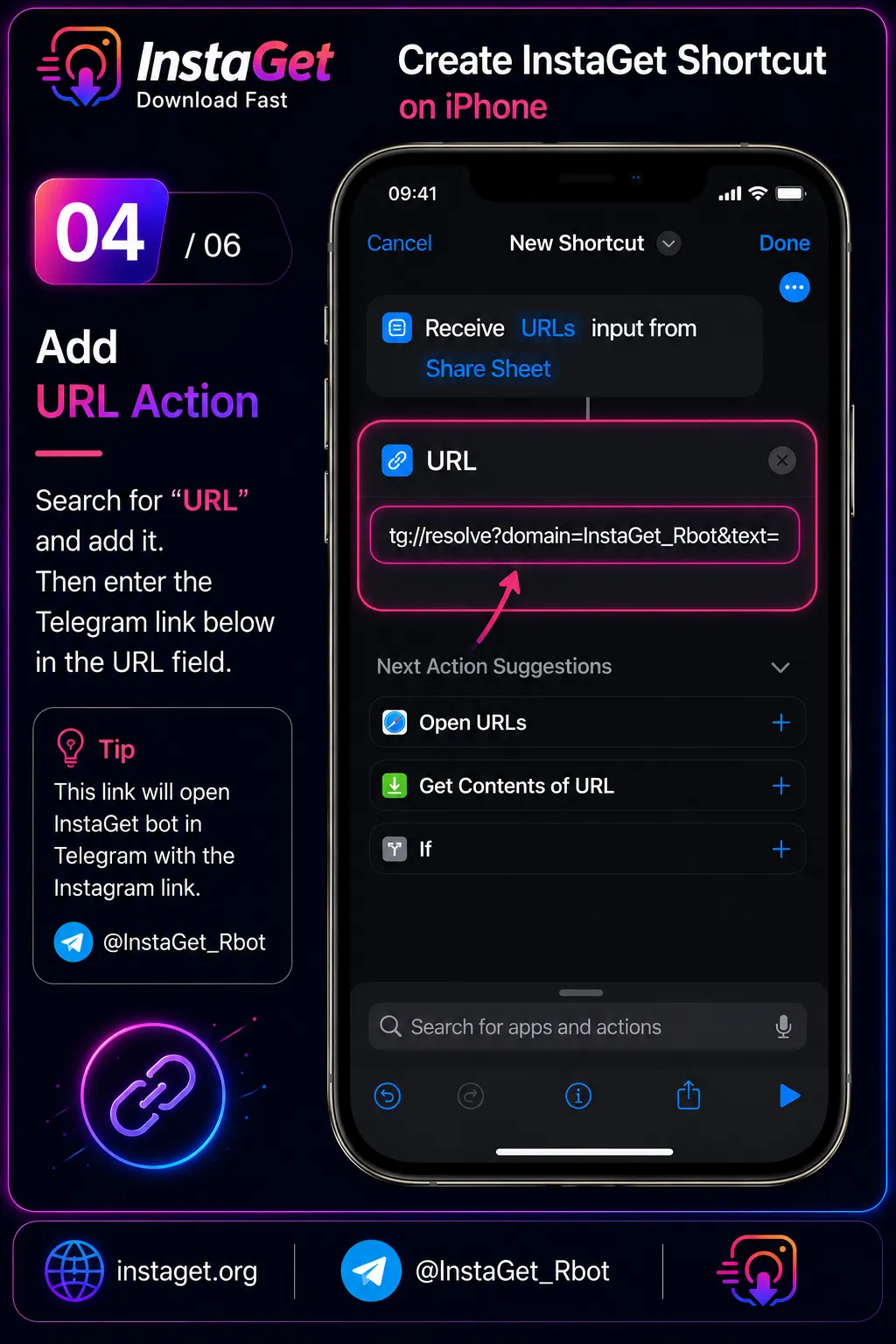
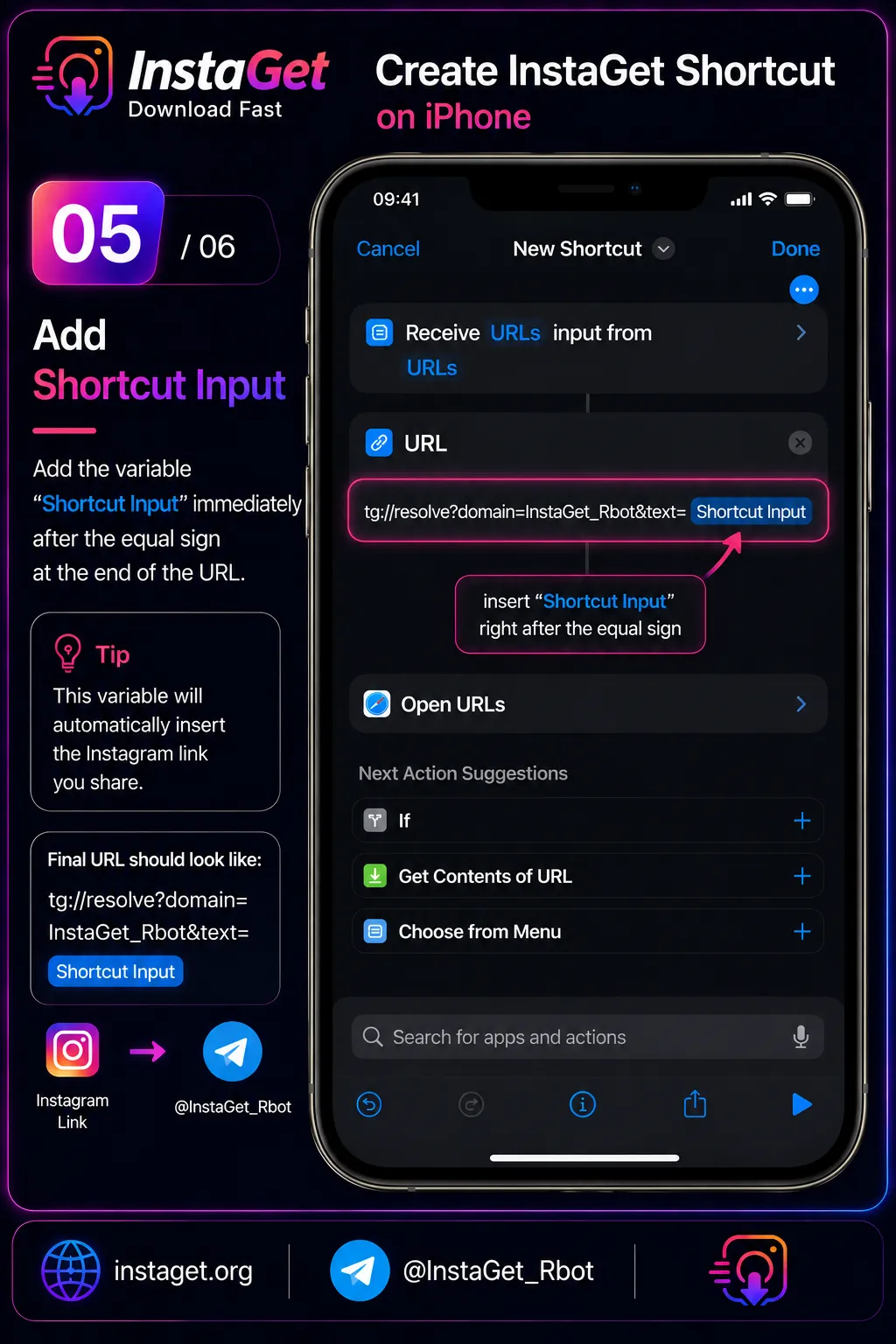
Search for the 'URL' action and enter: tg://resolve?domain=InstaGet_Rbot&text=
5
Tap at the end of the URL you just pasted and insert the 'Shortcut Input' variable.
6
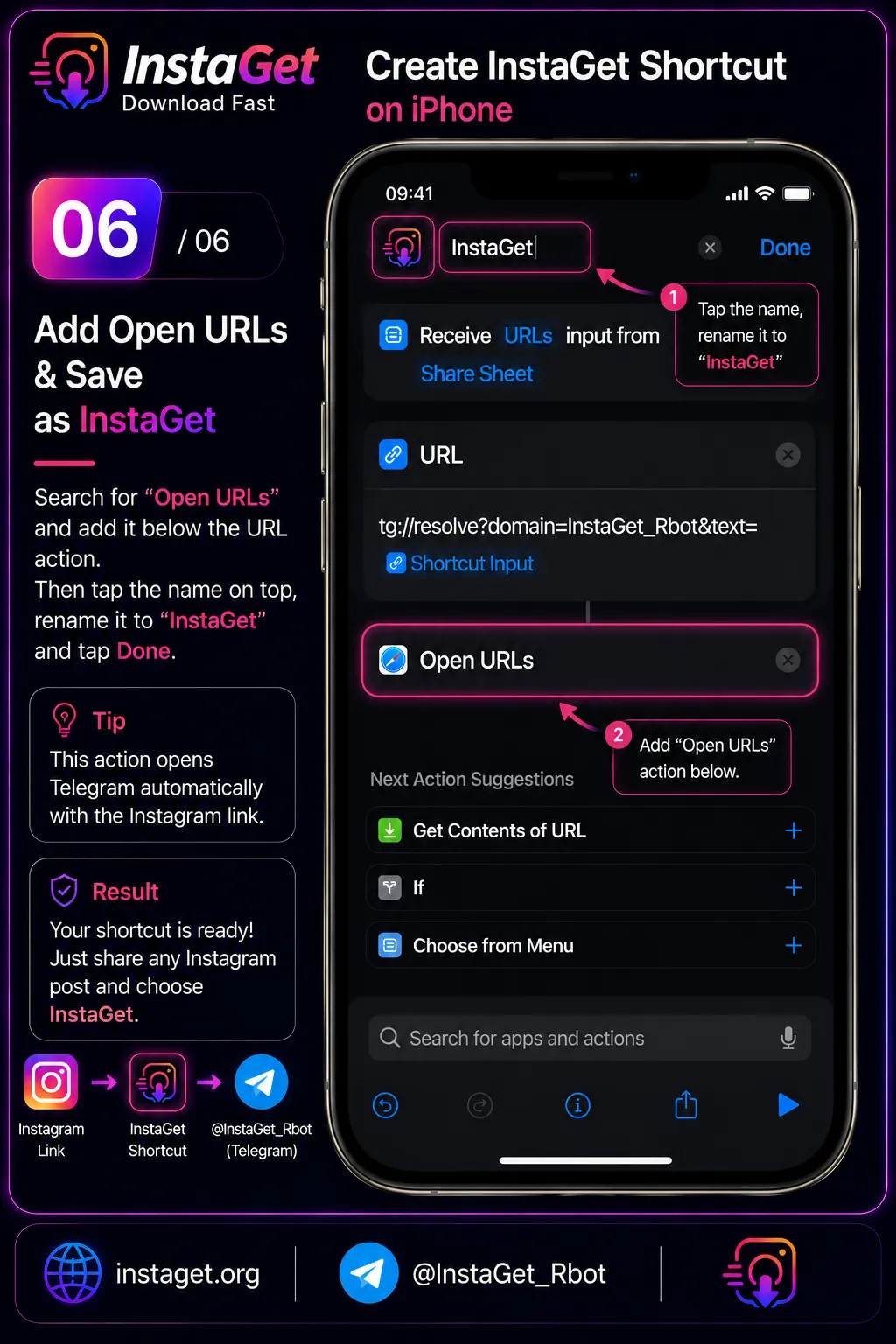
Add the 'Open URLs' action below. Name the shortcut 'InstaGet' and tap Done.
⚠️ First Run Permission
On your very first use, iOS will ask for permission to open Telegram. Tap Allow to grant access permanently.